Where diagnostics should start
When something goes wrong on site, people often begin changing settings at random. That is almost always the worst possible approach. A better starting point is three simple questions:
- Is the problem in communication or in logic?
- Is the problem constant or occasional?
- Does it affect one device, one line, or the whole gateway?
Scanner: when you are unsure about the line itself
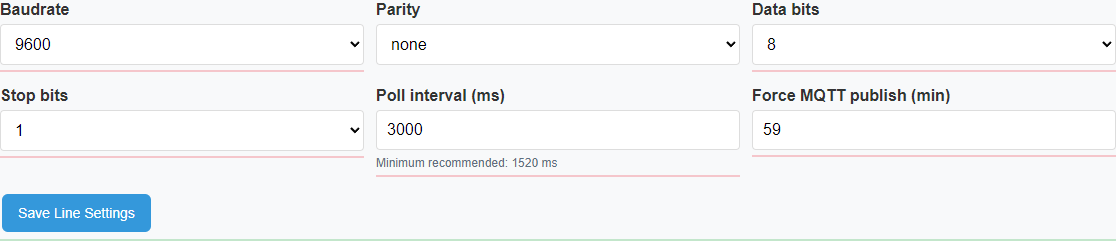
Scanner is useful when there is doubt about the line at the most basic level. For example, perhaps the user does not know which addresses actually respond, whether the chosen communication settings are correct, or whether the line is readable at all.
When to use it
When the line seems silent, the bus inventory is unclear, or the communication settings are still uncertain.
What it tells you
Which addresses respond, which line settings look usable, and where there are signs of conflict or instability.
What it is not for
It is not a replacement for ordinary operation and it does not need to be used for every normal read of values.
flowchart TD
    A[There is doubt
about the line] --> B[Scanner is started]
    B --> C[Addresses and line behavior
are checked]
    C --> D{Are responses stable?}
    D -- No --> E[Look for a line or wiring problem]
    D -- Yes --> F[Confirm the working configuration]
Inspector: when one exact request must be tested
Inspector is useful in a narrower situation. It is the right tool when communication exists in general, but one exact request still needs to be checked: a register read, a value write, a function call, or a manual test command.
In short, Scanner answers "is the line alive at all?" Inspector answers "what happens if I send this exact request right now?"
sequenceDiagram
    participant U as User
    participant I as Inspector
    participant D as Device
    U->>I: Enter one specific request
    I->>D: Send the request
    D-->>I: Return the response
    I-->>U: Show the result
Why Modbus Log matters
Modbus Log is useful when the user needs history or evidence. This becomes especially important when a problem is not constant but appears only from time to time.
For example, the log may show that a device stops responding under load, that errors happen only during certain periods, or that communication quality gradually degrades.
Why Storage is more than a file list
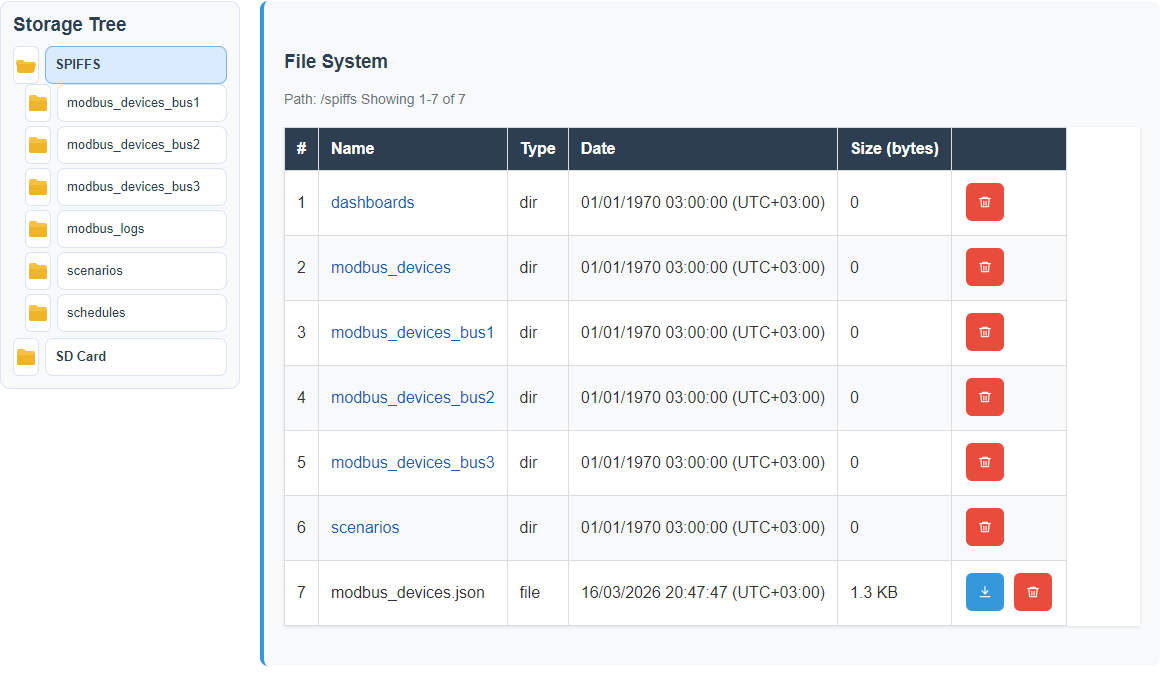
Storage is not intended to be the main place where the user "lives". It is a service tool for seeing what is stored, exporting files, finding logs, and checking the actual state of the internal storage.
In simple terms, Storage is the window into what the gateway really has inside.
Status and machine-state: why they matter
Good diagnostics begin with an honest picture of the current state. The user needs to see not only what the settings say should happen, but also what is actually happening now.
For example, an outside mode may be configured but not currently connected. A device may exist in configuration but still not answer. That is exactly why machine-state matters: it helps separate intended configuration from real runtime behavior.
flowchart TD
    A[Settings are saved] --> B[This is configuration]
    C[The system is really running] --> D[This is current state]
    B --> E[The user compares them]
    D --> E
    E --> F[The user sees whether
the problem is in settings
or in runtime]
Typical cases and where to look
- No current values: first check communication and line state, then use Scanner or Inspector.
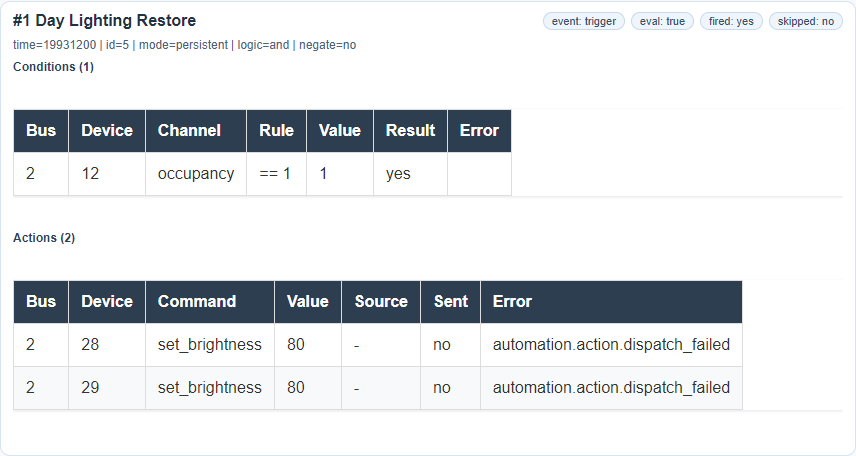
- A scenario did not trigger: open Scenario Log and see whether the gateway ever saw the required condition.
- An integration looks silent: check operating mode, network state, and outside connectivity.
- Saving or downloading fails: inspect Storage and system usage.
The main diagnostic principle
Diagnostics are not there to impress anyone with technical terminology. Their real task is much simpler and much more important: help the user narrow the problem down quickly and take the right next step.
Diagnostic examples
These examples show where an operator can confirm what happened instead of guessing from configuration alone.
Line settings during investigation
Scenario evidence
Logs and storage
Related reference pages
- UI Reference for exact screen meanings and state variations.
- Template Formats for payload shape when the issue involves device data.
- Maintenance for recovery and support-oriented actions.