How Settings is organized
Settings uses a left section navigator inside the page. It is separate from the main site menu and lets you jump to Mode, Device, Credentials, Network, Time, Uplink, Modbus Lines, Modbus TCP, Integration, Recovery, MQTT, Wi-Fi, Firmware, Maintenance, and service blocks.
In multi-column forms, compare controls by their top edge: labels reserve the same two-line area and a field-specific hint stays below its own control. On narrow screens the form becomes one column without the reserved label gap.
Runtime state
Maintenance actions
Device and runtime truth
Settings shows more than saved fields. It also exposes machine state: Uplink, Cloud, Gateway, and Automation can have separate configured and runtime values. This matters for support: configured describes intent, runtime shows what is actually active right now.
| State | How to read it | What to do |
|---|---|---|
configured |
The saved setting that should apply according to the section rules. | Check apply semantics: now, after reconnect, or after reboot. |
runtime |
The actual service or channel state in the current boot. | Use it as the primary signal for current troubleshooting. |
| Error/counters | Runtime error and counters show what the service attempted and where it failed. | Keep this context before reboot or service action. |
Device Summary and copy
Device Summary is the quickest way to identify the gateway being serviced. It contains only non-secret support data: device name and ID, Wi-Fi/Ethernet IP and MAC, firmware, model/vendor, SPIFFS/SD/PSRAM/heap, and uptime.
- Click anywhere on a summary card to copy the exact visible value.
- For keyboard operation, focus the card and press Enter or Space.
- Success or failure appears inline below the summary; plain HTTP device pages use a safe clipboard fallback.
- Triple-clicking a MAC still opens the authenticated Developer-mode control; no credential is copied or displayed.
Device Identity controls the operator name used by Workbench and mDNS. Saving an empty name restores the deterministic default. Local discovery reports Published, Waiting for LAN IP, or Stopped in human text.
Operating mode
| Mode | Use when | Interface effect |
|---|---|---|
| UMEC Space | The site should work with UMEC Space IoT Cloud Platform and use platform dashboards, mobile access, alerts, notifications, and remote control. | UMEC fields and BLE/provisioning context are shown. Generic MQTT is hidden. This is the primary mode for gateway-to-platform operation. Registration and gateway verification happen in UMEC Space Dashboard. |
| MQTT Generic | Data must be sent to a third-party MQTT broker. | Host, port, transport, auth, TLS, topic preview, session, and LWT settings become visible. |
| MQTT Disabled | The gateway should remain local with no external MQTT. | The MQTT section stays visible, but external editing controls are locked. |
Apply semantics
Not all settings apply the same way. The interface should show whether a change is applied now, after reconnect, or only after reboot.
| Semantics | Meaning | Operator action |
|---|---|---|
| Applied now | The change becomes active immediately. | Check section status and observe runtime state. |
| Applied after reconnect | New parameters take effect after the relevant service reconnects. | Wait for reconnect or perform a controlled reconnect. |
| Requires reboot | A reboot is required. | Save evidence, warn users, and perform a controlled reboot. |
Network and Uplink
Network defines Wi-Fi and Ethernet profiles: DHCP/static IP, DNS, and site addresses. Uplink selects which channel is used as the active outward path: manual Wi-Fi, manual Ethernet, or failover/failback policy. In status, read active uplink and ip acquired because a saved profile does not guarantee working connectivity.
- Wi-Fi fits sites without wired networking or as a backup path.
- Ethernet is usually preferred for cabinets and fixed installations.
- With manual uplink selection, outside integrations use the selected channel while it is available.
- Reachability separates link, IP, internet, and cloud-service readiness. Standby link/IP is not proof of standby internet.
- The UI shows human status labels. Machine codes remain available only in authenticated API/diagnostic data.
- Static addressing requires only IP, mask, and gateway. Each DNS is optional; only a non-empty value is validated.
- DHCP preserves inactive static fields but does not apply their DNS values. An incomplete fallback is a warning and does not block saving.
- Manual mode requires only the active interface. Auto mode requires primary, secondary, failover delay, and failback choice; failback delay matters only when return is enabled.
- A live MQTT session has priority over a synthetic probe. Without a session, standby is checked after two consecutive failures and committed only after its own successful check.
Wi-Fi and local setup access
Wi-Fi scanning is optional and manual SSID entry remains available. The saved upstream password is never returned: leaving the password field blank preserves it, while the UI reports only whether a password exists.
| SoftAP mode | Behavior | Field check |
|---|---|---|
| Commissioning | Automatic local setup access may remain available while the device is being commissioned. | Status must say whether SoftAP is actually broadcasting. |
| Work mode | Automatic SoftAP is limited to 300 seconds after reboot and does not restart itself after expiry. | Check runtime mode, remaining time, and reboot-required indication. |
| Physical setup window | Hold the button for 3-7 seconds to open a separate bounded 300-second window. | The action does not change the saved SoftAP mode. |
Modbus Lines
Lines are split into physical RS-485 lines and the network TCP channel. These are materially different, so do not explain TCP using RTU transparent-mode language.
| Line | Modes | What the operator sees |
|---|---|---|
| RTU 1 / RTU 2 | Polling, Transparent, Disabled | Polling provides local Control values. Transparent reserves the line for passthrough. Disabled turns the line off. |
| TCP | Polling, Not polling, Disabled | Polling updates bus3. Not polling keeps configuration visible but stops background freshness. Disabled turns the channel off. |
An active SD card owns polling-log storage and disables the SPIFFS polling-log switch. Without SD, that switch controls polling-log persistence on SPIFFS. An unused Transparent/Disabled line is inactive rather than offline. An interval below the calculated recommendation is saved with a warning; cycles neither overlap nor accumulate. The TCP help note stays below TCP and does not shift the RTU selectors.
RS-485 protocols
Each physical RS-485 line can select either Modbus RTU or read-only DLMS/COSEM/SPODES. Support for a named meter model is confirmed only by real-device HIL; emulator evidence does not replace that acceptance.
| Protocol | Status | Line boundary | Operator check |
|---|---|---|---|
| Modbus RTU | Main RS-485 path for local polling and control. | The line uses Modbus addresses, register maps, and the existing polling/transparent/disabled modes. | Addresses are unique on the line, the serial profile matches the equipment manual, and Control values are fresh. |
| DLMS/COSEM/SPODES | Read-only polling. SET/ACTION and remote commands are rejected before line I/O. | One physical RS-485 line selects one protocol. Do not mix Modbus RTU and DLMS/COSEM/SPODES on the same line. | Check the meter profile, serial parameters, addressing, password/key handling, and the absence of planned write actions. |
If a site needs both Modbus RTU and DLMS/COSEM/SPODES, place them on separate physical lines or separate gateways. This keeps diagnostics clear and preserves the contract: one RS-485 line has one active fieldbus protocol. The normal DLMS path uses the Setup workbench: select an RTU line and DLMS/COSEM/SPODES, upload an operator-supplied wb-mqtt-serial DLMS JSON template, enter the physical address, review active channels, and use the single apply action. Low-auth credentials are entered separately; embedded template passwords are discarded and only a secret_ref is stored. Validate, Stage, Scan, and Export remain under advanced tools.
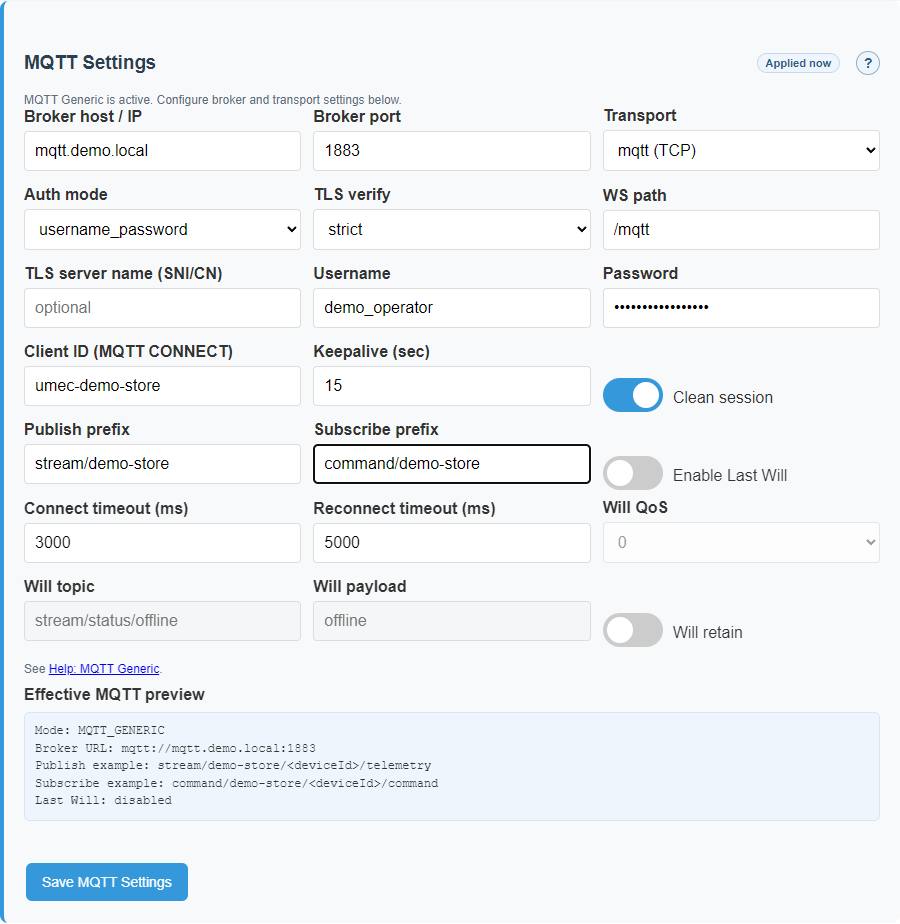
Generic MQTT
Generic MQTT is used when the site connects to a third-party broker. Host, transport, auth mode, TLS verification, and topic preview are especially important. Passwords should not be shown back in plain text.
Generic MQTT
Modbus TCP and NAT
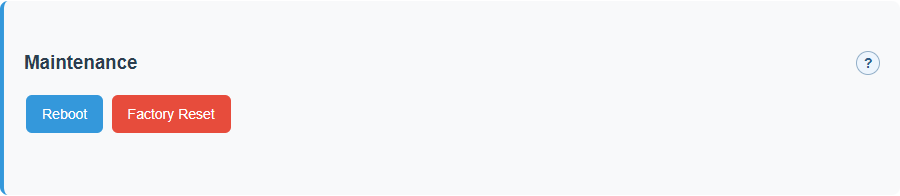
Listeners, tunnels, and NAT rules have structured simple editors. They still edit JSON arrays, but give the operator a form instead of a raw text-only workflow.
In the tunnel editor, Find gateways performs one bounded mDNS scan of compatible UMEC gateways.
Choose a result to fill its stable umec-<id>.local hostname, then save the object and TCP/NAT.
The scan never changes configuration automatically. Manual IP/DNS/mDNS entry remains available, and the
Modbus port is independent from the advertised HTTP service; normally use 502.
| Object | Purpose | Watch for |
|---|---|---|
| Listener | Accepts incoming Modbus TCP connections. | strict_map requires a route table, otherwise addresses may not resolve. |
| Tunnel | Defines a remote Modbus TCP endpoint. | If several tunnels are enabled, TCP devices need explicit binding. |
| NAT rule | Maps addresses between source and target domains. | priority is lower-value-first. |
Validation and errors
A save error does not necessarily mean the interface is broken. Often it is a guard against conflicting configuration. Read blocking/warning, field path, and recommendation first, then correct the specific field.
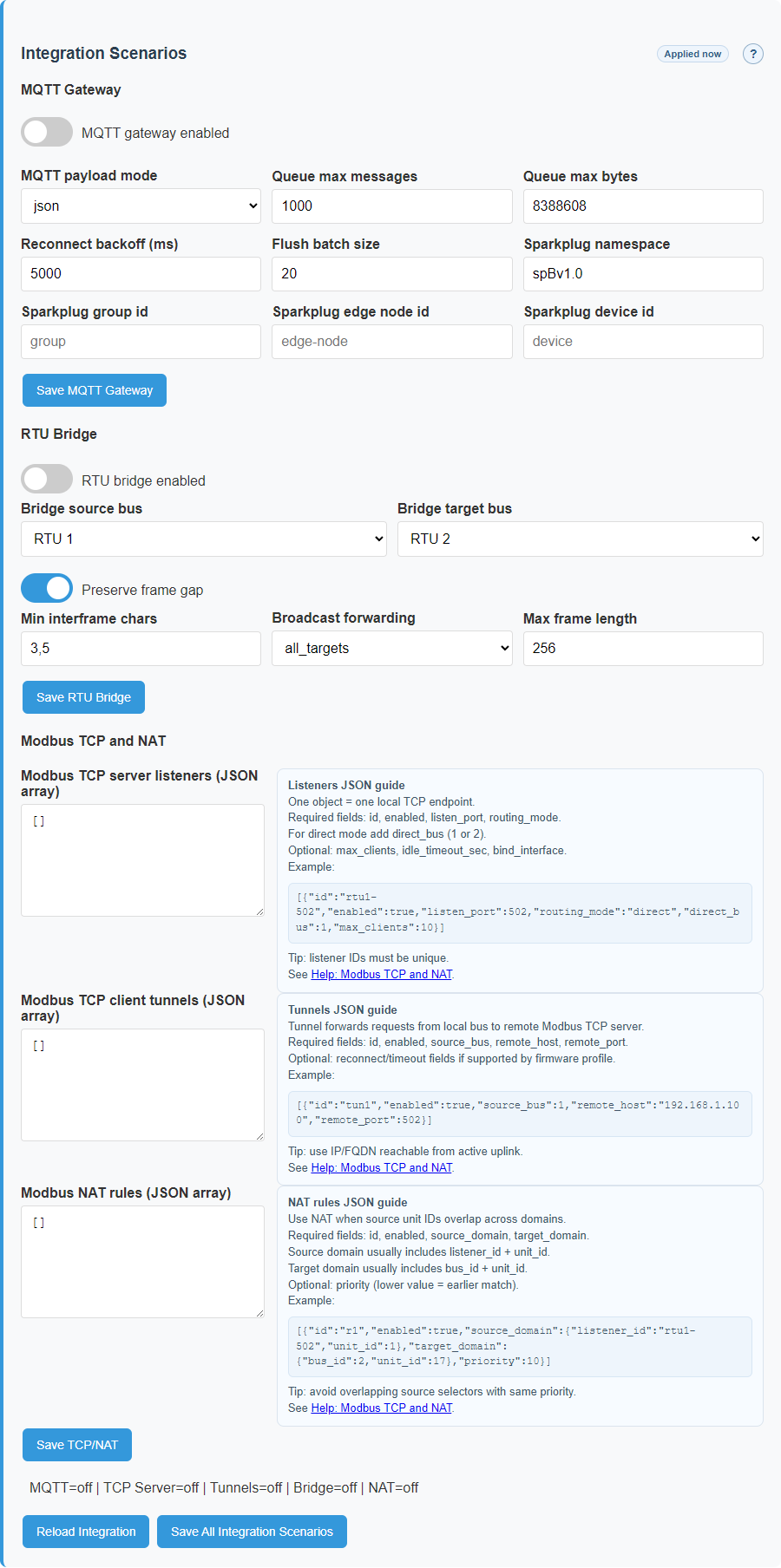
Maintenance
| Action | Purpose | Before using it |
|---|---|---|
| Reboot | Controlled restart after configuration or a service issue. | Save changes and warn the operator. |
| Soft recovery | Non-destructive access recovery. | Confirm that recovery is needed instead of a normal reboot. |
| Factory reset | Full configuration reset. | Download configuration and logs. Use only after an explicit decision. |
| Firmware update | Upload a new `.bin` image. | Check the file, power stability, maintenance window, and rollback plan. |
Recovery and Developer mode
Recovery is a separate area for access recovery and controlled service actions. It is not a replacement for ordinary line or MQTT diagnostics. Before recovery, keep configuration, logs, and visible runtime context.
Developer mode and the web terminal are service support surfaces. A normal operator should not enable them for commissioning, device checks, or daily operation. Use them only under a support procedure and after recording current state.
| Surface | How to enter | Safety boundary |
|---|---|---|
| Recovery | Available after a local recovery event or through the supported service flow when access already exists. | Use it for access recovery or platform reconnection. For connectivity issues, start with Diagnostics. |
| Developer mode | Enabled from the Settings service area after authenticated login and only under support instructions. | Do not use it for normal operation. Save runtime state, logs, and current configuration before enabling it. |
| Web terminal | Use only when Developer mode is allowed and support explicitly requests terminal access. | Do not type secrets into commands and do not run operations with unknown effects. Disable service access after the session. |
If the web password is lost, use soft recovery through the button hold. Keep full factory reset as the last option because it clears all settings and formats storage.
SPODES/DLMS: switch a line step by step
The current release reads meters. SET/ACTION is blocked before line I/O. One physical RS-485 line cannot be owned by Modbus and SPODES at the same time.
- Stop polling for the current owner and record the line profile.
- In Setup, select the line and SPODES/DLMS. Enter baudrate, parity, data bits, and stop bits from the meter documentation.
- Convert a WB template or upload canonical schema v3; run Validate first.
- Import the model. Confirm line ID, OBIS, unit, scale, and meter address for this site.
- Preview the owner change, explicitly Apply it, then enable polling.
- Verify
runtime_mode, association, successful reads, and fresh values. - Only then verify Dashboard, Automation, and MQTT projections.
mDNS tunnel between two gateways
- Enable the Modbus TCP bridge on the server gateway and record its port, normally
502. - On the client gateway, open the TCP tunnel editor and scan for devices.
- Select a peer such as
umec-757473a8.localor enter the hostname manually. Selection changes only the draft. - Save configuration and verify the active tunnel status.
- Add the TCP device on the client and confirm fresh values, not only DNS resolution.
IPv4 remains a valid fallback, while a hostname survives DHCP address changes. Every new connection resolves the name again. If mDNS is unavailable, the manual host remains editable and is not silently erased.